
What Is a Prepaid Date – and Why It Changes Everything
When it comes to online dating or organizing real-life meetups, most people have one big problem:
Too many conversations. Too little follow-through.
People say they're interested, then vanish. Plans fall through. Ghosting happens. Time gets wasted.
PayDate changes that — with something called a prepaid date.
This article explains exactly what prepaid dates are, how they work, and why they protect both sides.
Overview – What You'll Learn
- What Is a Prepaid Date?
- Why Use Prepaid?
- Example: How a Prepaid Date Works
- How Do You Prove a No-Show?
- How Is the Payment Released?
- What Happens to My Wallet Balance?
- Can You Still Do Cash Dates?
- Use Cases: Both Sides Can Benefit
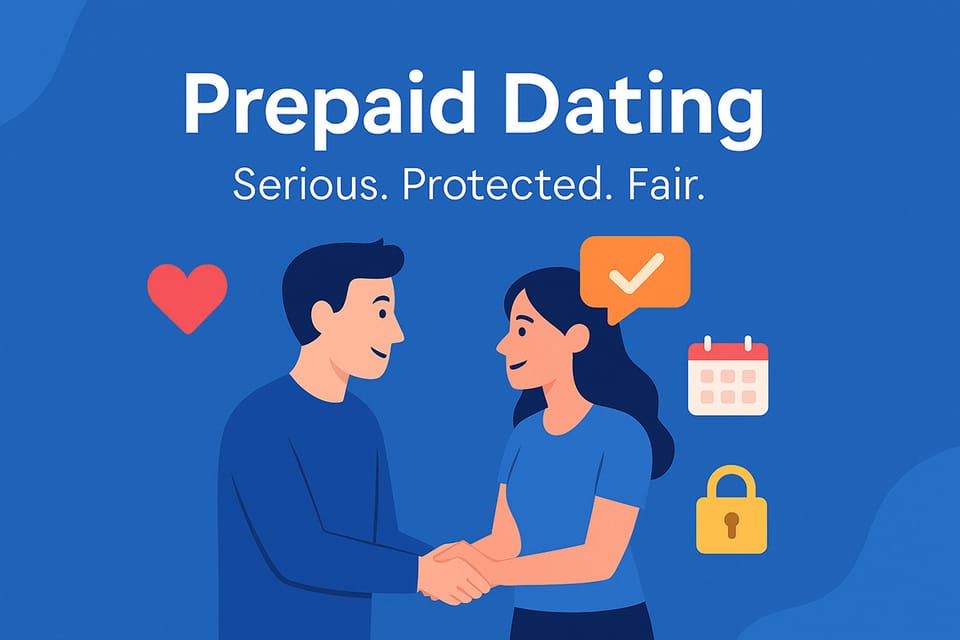
- Summary: Prepaid = Serious, Protected, Fair
What Is a Prepaid Date?
A prepaid date is a confirmed meetup where the person making the offer has already reserved the full payment amount upfront — before the other person accepts.
It’s not charged yet. But the funds are already in the sender’s wallet, and they’re locked into the offer once accepted.
This creates a simple truth:
If someone sends a prepaid offer, they’re serious.
They’ve already committed funds, accepted the conditions, and are ready to go — no empty talk, no flaking.
Why Use Prepaid?
Prepaid isn’t just about money. It’s about:
- ✅ Trust
- ✅ Clarity
- ✅ Respect for your time
Let’s break it down:
1. Serious Intent
Prepaid filters out 99% of time-wasters. If someone isn’t willing to put their money behind the idea of meeting you — do they really want to?
2. Protected Transactions
Once the date is accepted, the funds are held in PayDate’s secure system. They’re only released after the date happens — or if both sides agree otherwise.
3. Fairness for No-Shows
Creators (or anyone) can set cancellation or no-show fees when building their link. If someone agrees to a prepaid date and bails last minute — that fee is automatically deducted. No begging. No drama.
Example: How a Prepaid Date Works
Let’s say Alex wants to meet Jamie. Jamie has a PayDate link with the following conditions:
- $100 dinner date
- Friday, 7:00 PM, Soho NYC
- 2 hours
- Prepaid
- $100 no-show fee
Alex clicks the link. Their wallet has $100 available, so they can send the offer.
Jamie reviews it, accepts, and the date becomes confirmed.
→ The funds are now reserved inside PayDate — safe and untouchable until the date happens.
If Alex shows up, Jamie receives the full $100 after the dinner.
If Alex doesn’t show up, Jamie receives the full $100 no-show fee. No back and forth, no manual claims.
If the no-show fee was only $50, Jamie would receive $50 and the other $50 would automatically go back to Alex’s wallet.
How Do You Prove a No-Show?
This is one of the most common questions — and PayDate has a system for that.
If you’re at the date location and the other person doesn’t show up within 15 minutes, you can file a no-show claim directly in the app.
You’ll be guided through a short step-by-step process:
- Upload a photo or video of your location (e.g. selfie, public clock, entrance, table view)
- Confirm the time via your phone
- Add a brief note or second image
Both parties are involved: the person who is present must upload evidence. The other party will also be contacted and has the opportunity to provide counter-proof — e.g. their own selfie with location/time confirmation.
The system only acts when one side fails to respond or does not provide proof. This ensures fairness and protects against misuse from both sides.
⚠️ Important: You must file the claim while still on-site.
The date location and time must match the original conditions.
There’s also a free built-in status confirmation. Each side can mark "I’m here" once they arrive. If both sides confirm presence, the date proceeds. If only one confirms and the other doesn't respond, the no-show process begins.
You can also request a time change before the date (e.g. "I'm running 15 minutes late") — but the change is only valid if the other side accepts it. Otherwise, the original confirmed time remains binding.
In short: The system is built to protect your time, not waste it.
Especially for influencers, creators, and professionals with limited schedules, PayDate is designed to cut out the guesswork and give you back control.
How Is the Payment Released?
Once the date has started and both parties are present, the person who made the payment (e.g. Alex) can release the funds with just one tap.
Some creators choose to split the payout: for example, 50% after arrival and 50% at the end. Everything depends on how the link was set up.
The release is instant — within one second, the money arrives in the recipient’s wallet.
No more excuses like “I forgot my card,” “the ATM doesn’t work,” or “I’ll pay later.” Everything is prepaid and confirmed.
If the payer refuses to release the funds even though the date conditions are clearly fulfilled, the other person can trigger a dispute. With one tap, they can escalate the issue, and our support system will investigate.
This is also covered by the no-show logic: if someone is present but intentionally withholds payment despite showing up, the protection system still applies. The platform ensures no one is left unpaid if the agreement was honored.
What Happens to My Wallet Balance?
If you send a prepaid offer, the money is only reserved — not charged.
You can:
- Cancel the offer any time before it’s accepted
- Withdraw your full wallet balance back to your personal crypto wallet (e.g. Coinbase)
- Edit or delete links without losing funds
Nothing is locked forever. If both sides don’t confirm the date, the reserved amount returns instantly.
Can You Still Do Cash Dates?
Yes. You can create cash-only links too. Some users prefer that at first. In that case, there’s no money held in PayDate — everything is agreed and paid in person.
But here’s the difference:
- With prepaid, you know they’re ready.
- With cash, you still risk no-shows.
- ⚠️ And: Cash dates are not protected by the PayDate Protection Service.
There is no automated support or dispute process for cash-based dates. PayDate may offer limited help — but it’s up to the users to settle everything on their own.
Most creators and hosts use both: prepaid for security, cash for flexibility.
Use Cases: Both Sides Can Benefit
PayDate supports both directions:
- If you want to meet someone (and pay):
Create a prepaid link and send it to others — via dating apps, DMs, or QR code. It shows you're serious. - If you want to get paid to date:
You can create a private link or a public one. Public means it’s visible on your PayDate profile. Private links are still fully usable — you can post them in your bio, DMs, or wherever you want. Anyone who has the link can open it, even if it’s not shown on your profile.
Both flows use the same secure wallet logic — and both are fully under your control.
Summary: Prepaid = Serious, Protected, Fair
Prepaid dates turn interest into action. No more guessing. No more endless chats.
If you want to get paid for a date – for example, if you're a creator, influencer, or host:
- You get offers from people who already agreed to your terms
- They’ve prepaid – no begging, no ghosting, no awkward payment talk
- You stay in control and decide who to meet
- Your time is protected – every offer is real
If you want to meet someone:
- You can send a prepaid offer that shows you're serious
- Your reply rate will go up – people know you’re real
- You can reach people you thought you’d never have a chance with
- Fulfill your dream: go on a date with someone who felt out of reach
- Share your link in any dating app to skip the endless small talk
Prepaid helps both sides — with clear terms and protected payment.
And if something goes wrong: PayDate protects you.
Try it now:
→ Create a prepaid date link
Your time matters. PayDate respects it.
❤️