
How to Get Started with PayDate – Your Complete Beginner’s Guide
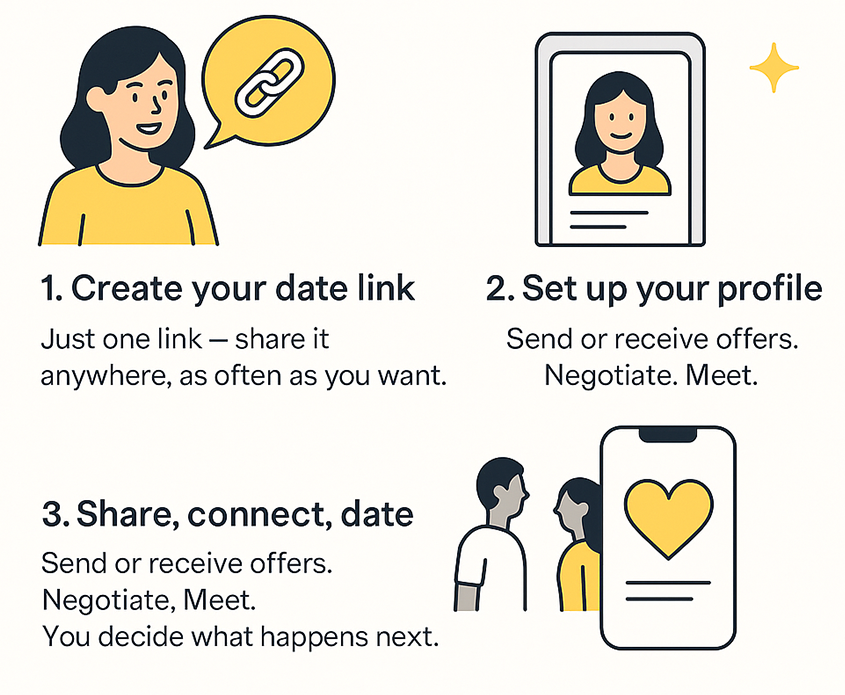
PayDate is the easiest way to set up real dates – with full control, clear conditions, and real value. Whether you want to meet someone or receive paid offers to date, one single link is all you need. This article gives you a complete step-by-step overview of how to set up your profile, create your first link, and start using the platform like a pro.
Step 1: Create your first date link (only once)
At the heart of PayDate is your personal date link. You only need to create one link – and you can share it anywhere, as many times as you want:
- In your Instagram bio
- On WhatsApp, Telegram or DMs
- As a swipe-up in your Stories
- In dating apps
- Even as a QR code on a card or your shirt
Anyone who clicks the link can make you an offer or respond to your invite.
Important: You do not need to create a new link for each person. You can update the link anytime (price, location, time), or run multiple links in parallel (e.g. different cities or dates).
How to do it:
- Sign up or log in at pay.date
- Click "New Date"
- Fill in the details: location, time, price, duration, cancellation fee (optional)
- Create the link and share it wherever you like
All incoming offers show up in your dashboard.
Step 2: Set up your profile – fast, personal, authentic
Your profile is the first thing someone sees when they click your date link. A real, relatable profile leads to more serious offers – and saves you time.
What your profile should include:
- 1–3 authentic photos
- A short bio (2–4 lines)
- Emojis and links are allowed
- Optional: Show selected date links publicly on your profile
You decide which links are public ("unlocked") and which stay private (only accessible via direct link).
Pro tip: Creators can use their bio to share availability, travel plans or preferred locations. Example: “I’ll be in Barcelona this weekend – coffee anyone?”
Step 3: Share your link, receive or send offers
Here’s where it gets real. Once you share your link, people can send you offers – or you can make offers yourself.
If you want to get paid to date:
- You receive only offers from people who already have the full amount in their wallet
- You can accept, decline or negotiate every offer
- You set the price, location, time and conditions
If you want to meet someone:
- Click someone else’s date link (e.g. creator or host)
- You must have enough balance to send an offer
- The other person can accept, decline or negotiate
All payments are protected:
- For prepaid dates, funds are reserved (not instantly charged)
- If the date is canceled or skipped, cancellation rules apply
- After a completed date, the payout is released automatically
FAQs – Everything You Need to Know
Can I have multiple date links?
Yes. You can create different links for different days, cities or prices. All your links are in the "Date List" tab.
Can I cancel or edit an offer?
Yes – as long as the other person hasn’t accepted yet. Once confirmed, the agreement becomes active.
What if someone doesn’t show up?
If you set a cancellation or no-show fee, it will be enforced automatically. Our support team helps with disputes.
Can I stay anonymous?
Yes. You can use a nickname, emojis, and control what’s visible. All chats and offers happen privately.
How does the wallet work?
You can fund your PayDate wallet with Bitcoin. Your balance stays in your account and is only reserved when you send or accept an offer. You can withdraw any time.
Summary: One link – full control
PayDate gives you total flexibility. Whether you want to meet someone or monetize your time, your personal link is all you need:
- Only serious offers
- Full control and scheduling
- No spam, no games – just real connections
Try it now: Create your first link
For more tips, visit our Help Center or reach out to support.
Happy dating ❤️
Your PayDate Team